Disclaimer: This article is for educational and informational purposes only. It does not constitute financial or investment advice. Trading forex and CFDs carries significant risk of loss. Past performance of any strategy — including backtests — does not guarantee future results. Never trade with money you cannot afford to lose.
What Is This Strategy?
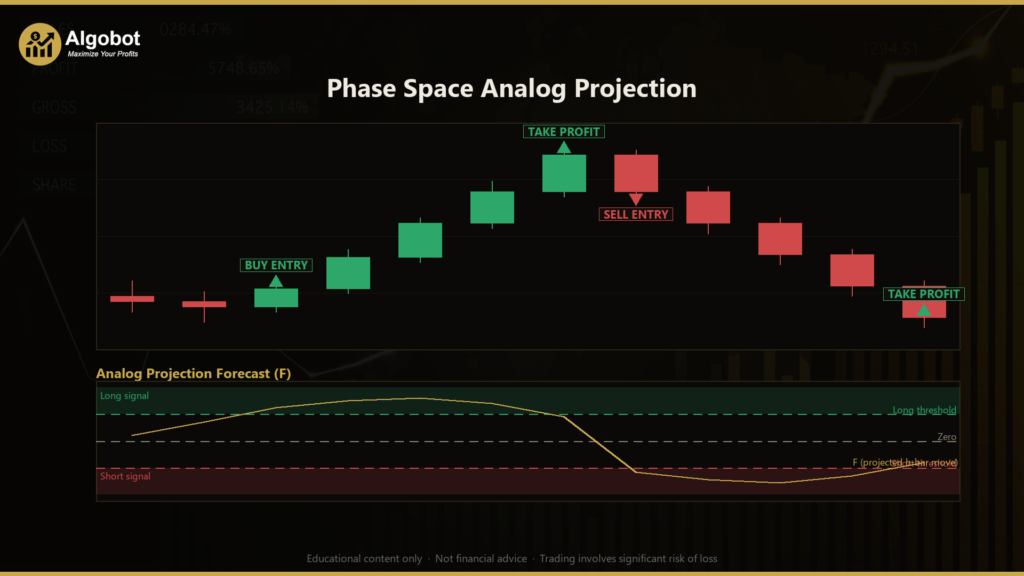
Phase Space Analog Projection is a quantitative MetaTrader 5 Expert Advisor (EA) built on a single, unusual idea: treat the price chart not as a set of familiar patterns, but as the visible output of an unknown dynamical system. Instead of relying on classic indicators, chart patterns, or support and resistance, the strategy uses a technique borrowed from nonlinear time-series analysis called delay-coordinate embedding — reconstructing the market's recent "state" from a short window of log returns and then searching history for moments that looked geometrically similar. In plain terms, it is an analog forecasting system: it finds past situations that resemble the present one and studies what happened next.
The core tool here is the nearest-neighbour projection. The EA converts each bar's close-to-close move into a log return, stacks the most recent handful of returns into a small vector (the market's "position" in a reconstructed phase space), and then hunts for the closest historical matches. Each of those historical analogs already has a known future — the move that actually followed — so the strategy averages those realised futures, weighting closer matches more heavily, to build an expected forward return. This is a systematic, regime-adaptive trading style rather than a directional bias: the same machinery can lean with a trend in a persistent market or fade it in a mean-reverting one, depending entirely on what the historical analogs did next.
As a learning tool, Phase Space Analog Projection is best suited to traders who are curious about data-driven, model-free forecasting and who want to study how concepts from chaos theory and dynamical systems can be expressed in a mechanical trading rule. It is not a "set and forget" shortcut. It rewards users who understand its statistical assumptions, appreciate why it filters out low-confidence signals, and are comfortable studying how it behaves across different symbols and timeframes.
How It Works
The strategy processes one newly closed bar at a time and maintains a rolling library of historical bars to search through. On each new bar it performs the following steps:
- Build the state vector. It computes one-bar log returns,
r_t = ln(C_t / C_{t-1}), and forms the current state from the most recentEmbedDimreturns. This vector describes the market's recent "shape." - Search for analogs. It scans every valid past anchor point where both the state and its future are known, measuring the Euclidean distance between each historical state and the current one. Smaller distance means a closer geometric match.
- Enforce independence (Theiler window). Selected neighbours must be separated in time by at least
max(Horizon, EmbedDim)bars. This prevents the strategy from counting one overlapping stretch of history several times, so each analog represents a distinct episode. - Project the forecast. For the
Neighborsclosest analogs, it looks up each one's realised forward log return overHorizonbars, then takes a distance-weighted average (closer matches get exponentially more influence viaw = exp(-D / d0)). The result,F, is the expected multi-bar move implied by the current geometry. - Check agreement. The fraction of neighbours whose future shares the sign of
Fmust exceedMinAgreement. A forecast built from an even long/short split of analogs is treated as noise and rejected.
Once a forecast passes those gates, the entry logic is straightforward:
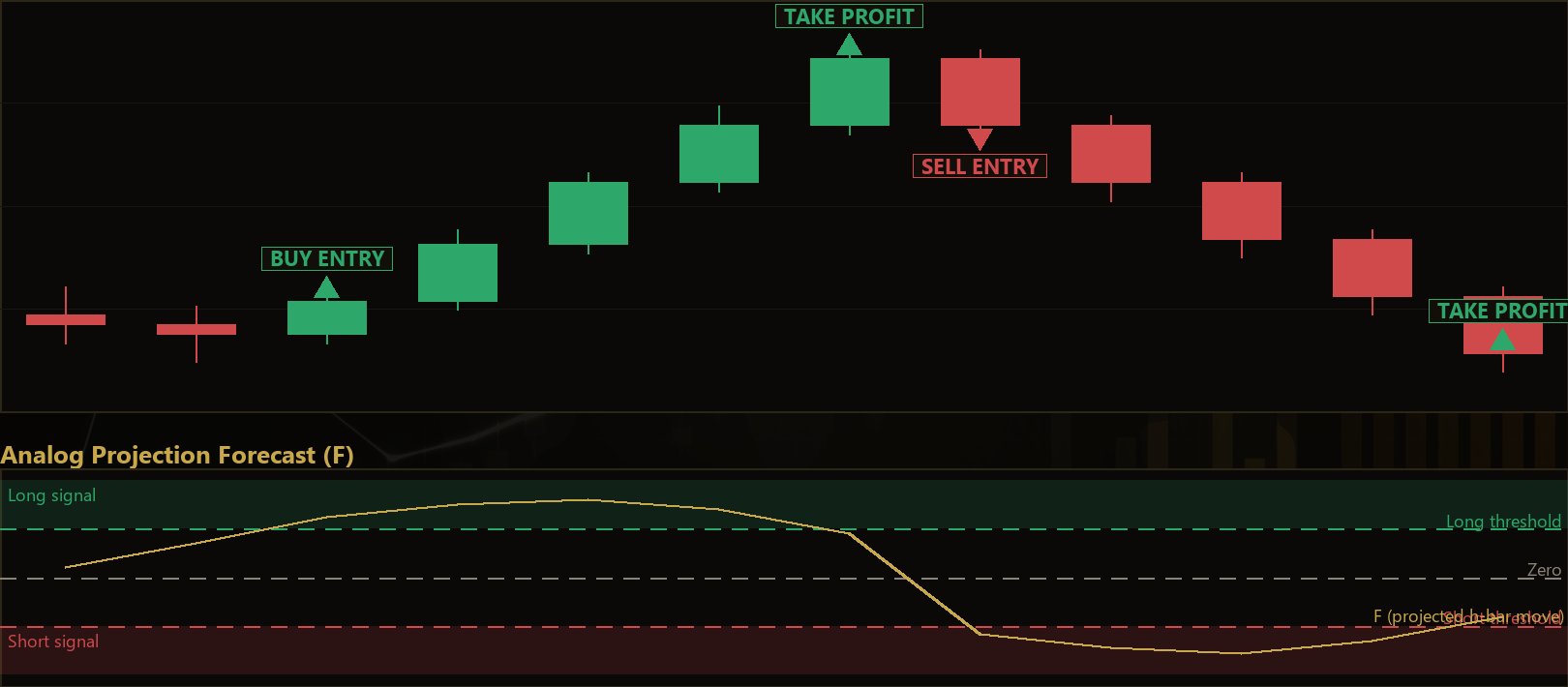
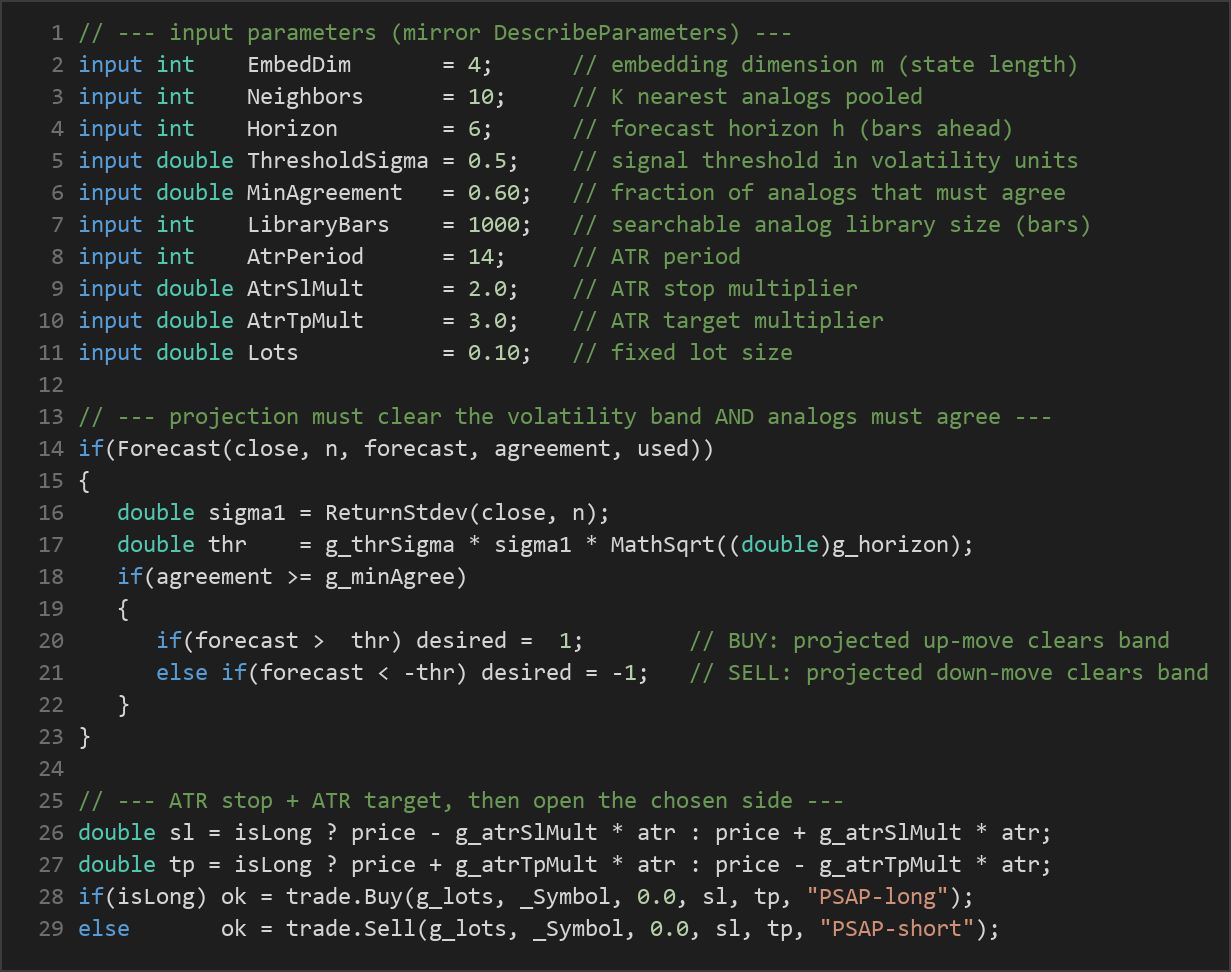
- The strategy signals a long when
Fis greater than+ThresholdSigma × sigma × √Horizonand the analogs agree. Heresigmais the standard deviation of recent log returns, so the threshold breathes with market volatility. - The strategy signals a short when
Fis below-ThresholdSigma × sigma × √Horizonand the analogs agree.
Exit handling combines several protective layers:
- Stop-loss: placed at
AtrSlMult × ATRaway from entry, so risk scales with recent volatility. - Take-profit: placed at
AtrTpMult × ATRfrom entry. - Adaptive exit: if the live projection flips to point against an open trade, the position is closed early.
- Time stop: once
Horizonbars have elapsed — the forecast's natural "shelf life" — the position is closed, since the projection is no longer considered informative.
Strategy Parameters
| Parameter | Default | Min | Max | Description |
|---|---|---|---|---|
| EmbedDim | 4 | 2 | 12 | Embedding dimension — how many recent log returns define the market's state vector. |
| Neighbors | 10 | 3 | 40 | Number of nearest historical analogs (K) pooled into the projection. |
| Horizon | 6 | 1 | 30 | Forecast horizon in bars; the future move each analog is measured over. |
| ThresholdSigma | 0.5 | 0.0 | 3.0 | Signal threshold in volatility units; the forecast must clear ThresholdSigma × sigma × √Horizon. |
| MinAgreement | 0.60 | 0.5 | 1.0 | Minimum fraction of analogs that must agree with the projection's direction. |
| LibraryBars | 1000 | 300 | 4000 | Size of the searchable analog library, in retained bars. |
| AtrPeriod | 14 | 7 | 40 | Period of the Average True Range used for stops and targets. |
| AtrSlMult | 2.0 | 0.8 | 5.0 | Stop-loss distance as a multiple of ATR. |
| AtrTpMult | 3.0 | 1.0 | 6.0 | Take-profit distance as a multiple of ATR. |
| Lots | 0.10 | 0.01 | 1.0 | Fixed trade volume in lots. |
Recommended Chart Settings
Phase Space Analog Projection is designed to run on a single primary timeframe and works on whatever chart it is attached to. It is intended for liquid instruments with continuous, mean-scaled price behaviour — major FX pairs, metals such as gold, stock indices, or major crypto pairs. Because the method needs a meaningful history to search, make sure enough bars are loaded to fill the analog library (governed by LibraryBars).
A common starting point for study is a mid-range timeframe such as H1 or M15 on a major pair, where there is enough data density to populate the phase space without excessive noise. There is no universally "correct" setting: the embedding dimension, horizon, and volatility threshold interact with the character of each market. Results will vary across different symbols, sessions, and market conditions, so treat any configuration as a hypothesis to be tested rather than a fixed recipe.
How to Install on MetaTrader 5
- Download the
.ex5file from the link below - Copy it to your MT5
MQL5\Expertsfolder - Restart MetaTrader 5 or refresh the Navigator panel
- Drag the EA onto a chart matching the recommended symbol and timeframe
- Configure the input parameters and enable Algo Trading
What to Consider Before Using This EA
The main strength of Phase Space Analog Projection is that it is model-free and self-adapting. It does not assume the market trends or reverts; it simply reports what historically followed states similar to the present one. The Theiler window and agreement gate are thoughtful safeguards that reduce the risk of projecting from one lucky, overlapping stretch of history or from an incoherent set of neighbours. The volatility-scaled threshold also helps the signal adjust as conditions change.
That said, the approach has real limitations worth understanding:
- It assumes history repeats geometrically. If the market's underlying dynamics shift into a genuinely new regime, past analogs may be poor guides, and the forecast can be misleading.
- It is sensitive to parameter choices. Embedding dimension, neighbour count, and horizon can materially change behaviour; over-tuning to one dataset (curve-fitting) is a genuine risk.
- It needs sufficient data. Small libraries produce a sparse phase space with few reliable matches, and the strategy will simply stay flat when analogs are too few or too incoherent.
- Low-signal periods produce few trades. The agreement and threshold gates are strict by design, so the EA may sit idle for long stretches — which is expected, not a malfunction.
- Transaction costs and slippage matter, especially on shorter timeframes where the forecast horizon is small.
This is a strategy to study and stress-test, not to deploy blindly. Its value as an educational tool lies in showing how a rigorous, statistically defensible forecasting idea can be translated into mechanical rules.
Risk Management Tips
Sound risk management matters far more than any single strategy's logic. Consider these general principles as you study this EA:
- Risk only a small fraction per trade — many educational sources suggest no more than 1–2% of account equity on any single position.
- Size positions deliberately. The default fixed
Lotsvalue is a starting point; align volume with your account size and risk tolerance rather than leaving it unchanged. - Always test on a demo account first. Run the EA in the MT5 Strategy Tester and on a demo account across varied market conditions before considering anything live.
- Understand drawdown. Even a statistically sound approach can experience extended losing streaks; know the maximum drawdown you are willing to accept in advance.
- Diversify your study. Avoid concentrating everything on one symbol, timeframe, or parameter set.
- Keep records. Journaling parameter changes and observed behaviour helps you learn what the strategy is actually doing rather than guessing.
Risk Warning
Trading foreign exchange, CFDs, and other leveraged financial instruments involves substantial risk of loss and is not suitable for all investors. The strategies and tools discussed on this page are provided for educational purposes only and do not constitute financial advice, investment recommendations, or solicitation to trade. Always consult a qualified financial adviser before making trading decisions. Past backtest performance is not indicative of future results.
Downloads
- Expert Advisor: PhaseSpaceAnalogProjection.ex5 (48 downloads)
- Source Code: PhaseSpaceAnalogProjection.mq5 (46 downloads)
- Documentation: PhaseSpaceAnalogProjection.pdf (40 downloads)